
Close or reopen a business
When a business stops trading or moves elsewhere, its owner can close it. Its records stay safe and read-only for as long as the law requires, then they're deleted year by year. Closing and reopening are free on every plan.
Before you start
Only the business's owner can close or reopen it (for a practice's client, the practice's owner). You'll be asked for a code we email you, as for other sensitive changes.
Steps
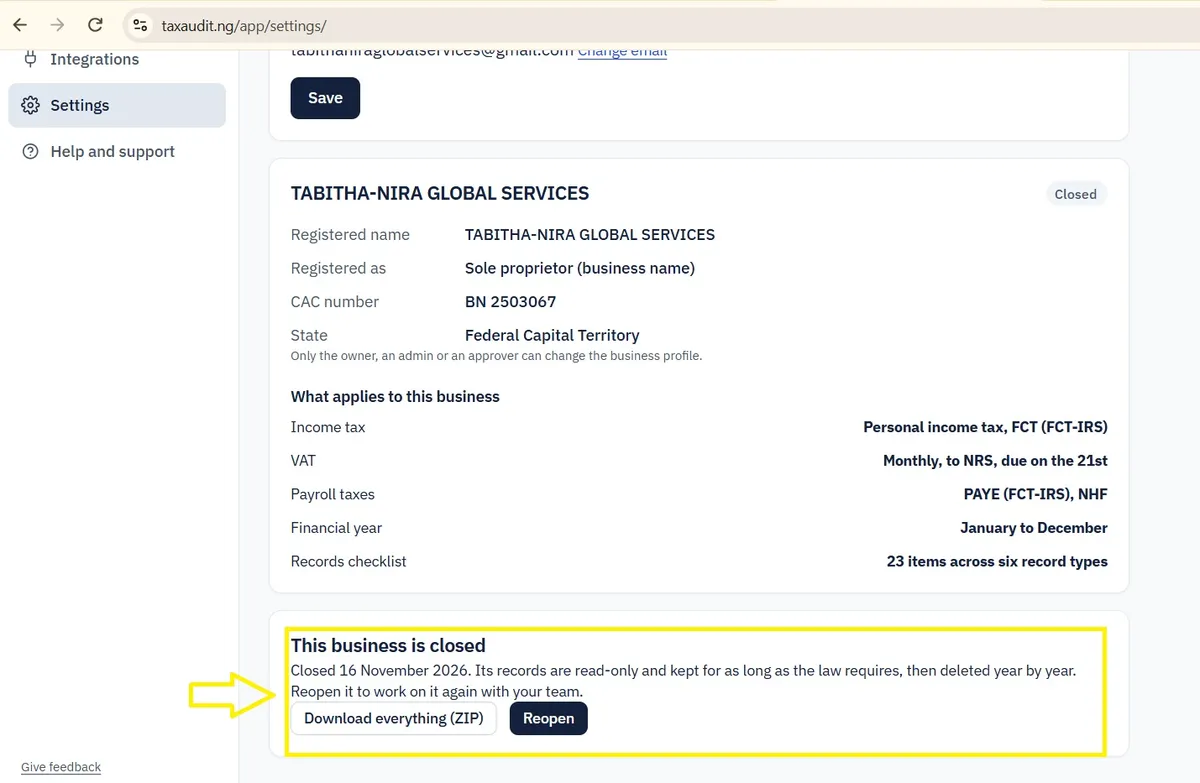
Download everything first (optional): in Settings → Profile, under Close this business, choose Download everything (ZIP). We email you a link when the file is ready, usually within a few minutes. It holds the business profile, every document, each month's records, the statements, journals and trial balances, customers and suppliers, payroll and filing history. The link works for 7 days.
Choose Close this business… and enter the code we email you.
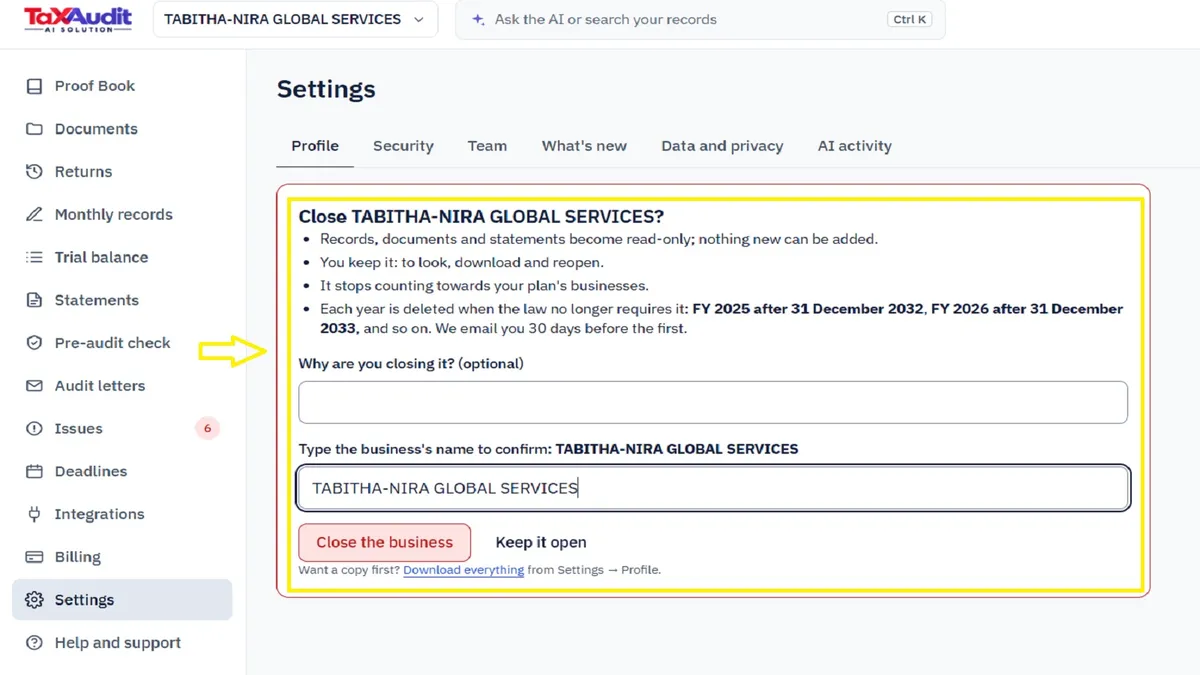
Check what closing means: the records become read-only, your team loses access, and each year is deleted when the law no longer requires it (the dates are shown).
Type the business's name to confirm, and choose Close the business. We email you to confirm.
What happens next
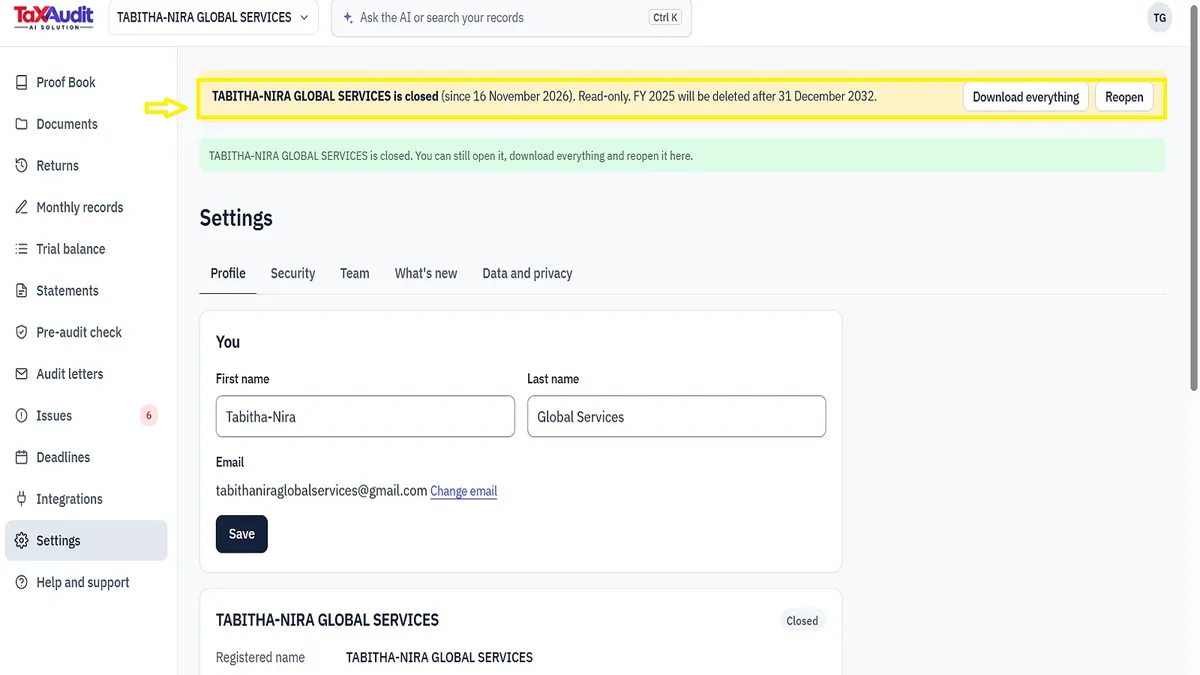
- You can still open the business to look and download; a banner says it's closed, with Download everything and Reopen. Nothing can be added or changed, and your team no longer sees it.
- It stops counting towards your plan's businesses.
- Each year is kept until 6 years after its year of assessment, as the tax law requires (Nigeria Tax Administration Act 2025): a financial year ending 31 December 2026 is assessed in 2027 and kept until 31 December 2033. We email you 30 days before the first year is deleted, with the date.
When a year is deleted
- Everything of that year goes: its monthly records, journals, trial balance and statements, documents and their files, returns, payroll, bank statements, pre-audit checks and what the AI did with them. Older leftovers go too.
- Your balances carry on. What the business had and owed at the end of the deleted year becomes its opening balances, so the later years' balance sheet, cash flow, stock and statements show exactly what they showed before. You can see them in Monthly records → Opening balances; they can't be changed.
- A document from the deleted year that a later month still uses (for example a receipt attached to a later month's figure) is kept until that later year goes. Registration documents such as your CAC certificate are kept with the business.
- The deleted year no longer has statements, and the next year's statements have no comparative figures for it.
- With the last year, the business itself is deleted: its profile, team, customers and suppliers, employees and categories. After that it can't be reopened.
Reopen a business
Open it from the business switcher (it's marked Closed) and choose Reopen on the banner or in Settings → Profile. It's open again at once and your team's access is back as it was. Reopening needs room on your plan: if all your plan's businesses are open, close another one or choose a bigger plan first.
Common questions
Can I delete a business's records straight away?
Tax records have to be kept for the period the law sets, so we can't delete them earlier. You can ask for your personal data to be deleted with Request your data; we tell you what we must keep, why and until when.
Why might a closed business be kept longer?
Only if the law requires it in a particular case, for example during a tax audit or a dispute. We then keep its records until that's over, and email you again 30 days before its first year is deleted.
I reopened the business after a year was deleted. Can I get that year back?
No: a deleted year can't be restored. The business carries on from the balances brought forward. Keep the ZIP from Download everything if you may need the older years.