
If your connection drops
Networks drop. When yours does, TaxAudit keeps what you've typed on your device until it's saved, on every page where you enter or change something: monthly records, documents, settings, support messages and the rest.
Before you start
Nothing to set up. Keep the page open while you're offline: the copy is kept in that browser tab only.
What happens
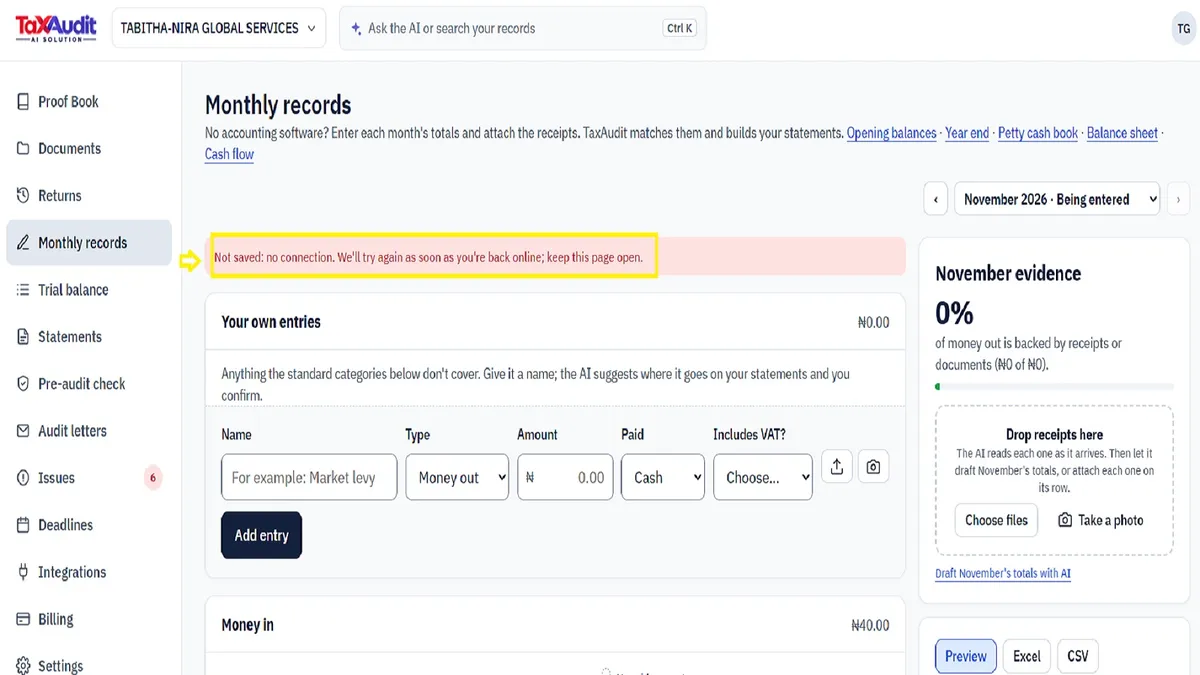
- Figures that save as you type (like the month's totals) say Not saved: no connection when a save fails. Keep going: TaxAudit tries again by itself as soon as you're back online, and the note goes when it's saved.
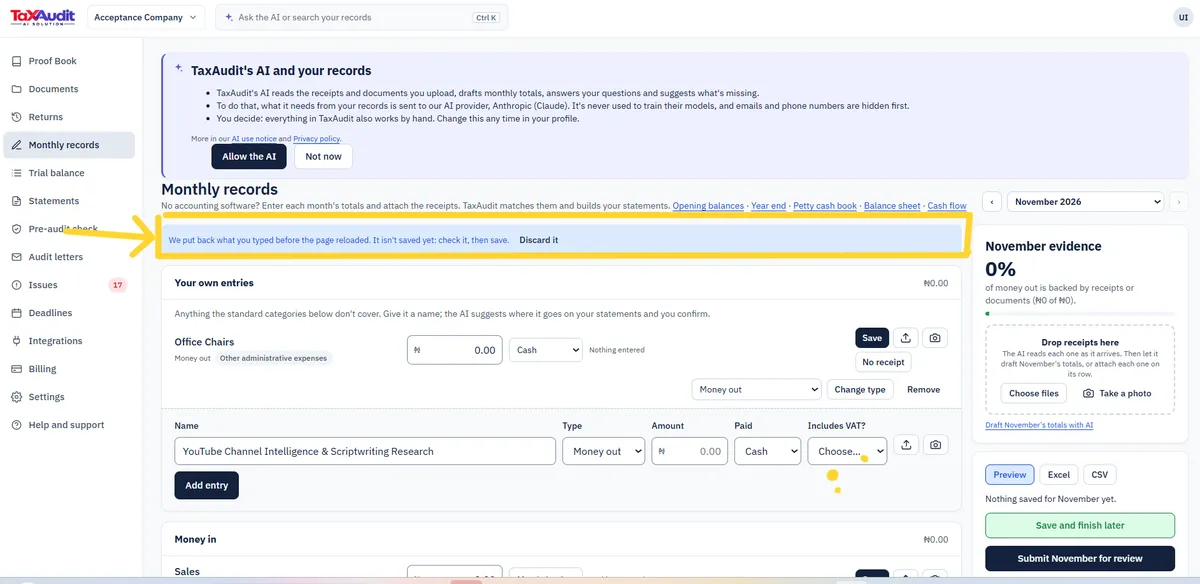
- If you reload the page, what you typed is put back. Where the page saves as you type, it's saved straight away; elsewhere a note says It isn't saved yet: check it, then save. Choose Discard it to start again.
- If you send a form while you're offline, it waits on the page and is sent when the connection comes back.
- If you leave a page while figures that save as you type are still saving (a slow connection), they're sent as the page closes, so your browser doesn't ask. Uploading a receipt right after typing a figure doesn't ask either.
- If you try to leave a form you've filled in but not sent (for example Add entry), your browser asks first.
If someone else saved a different figure in the meantime, their saved figure is kept and your copy of that field isn't put back, so nothing is overwritten by mistake.
Common questions
Is what I type sent anywhere before I save it?
No. The copy stays in your browser tab, is removed once the form is saved or you sign out, and is gone when you close the tab.
What isn't kept?
Passwords, security codes, card details and files. If a receipt didn't upload, choose the file again.
Does TaxAudit use a cookie for this?
A small essential cookie, ta_kept, tells your browser a form you sent has arrived. It holds only a random number and lasts five minutes; see the Cookie Policy.