
Sign up or sign in with Google
You can use your Google account to create a TaxAudit account and to sign in, without a TaxAudit password.
What we receive from Google
Your email address (and that Google has confirmed it), your name, and Google's ID number for your account. We don't see your Google password, and we keep no access to your Gmail, Drive or anything else in your Google account.
Steps: the first time
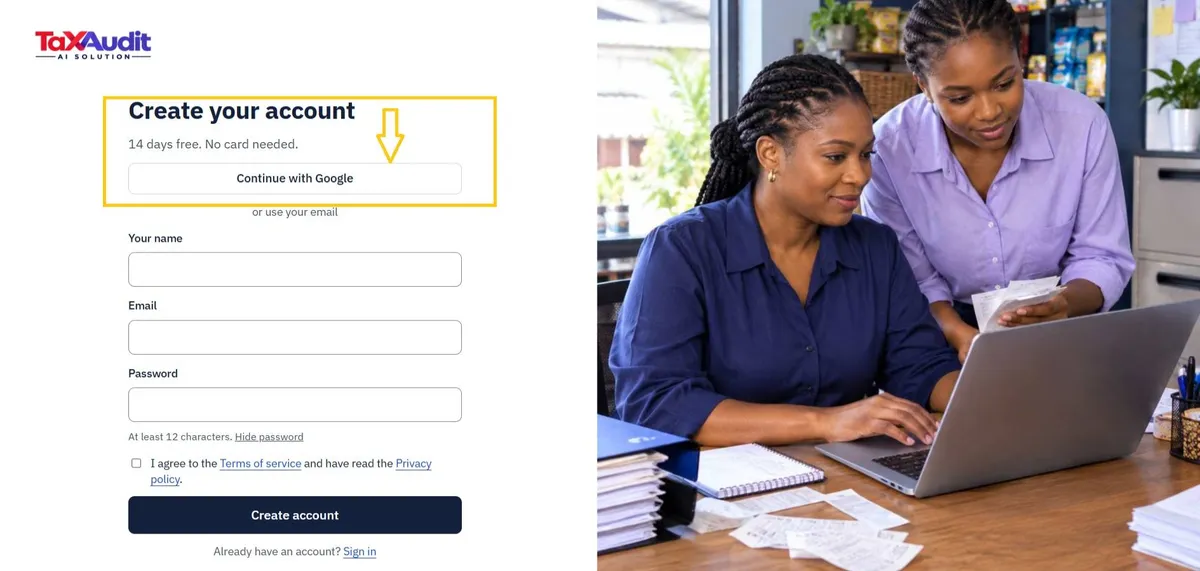
On Create your account or Welcome back, choose Continue with Google.
Pick your Google account on Google's page. You come back to TaxAudit.
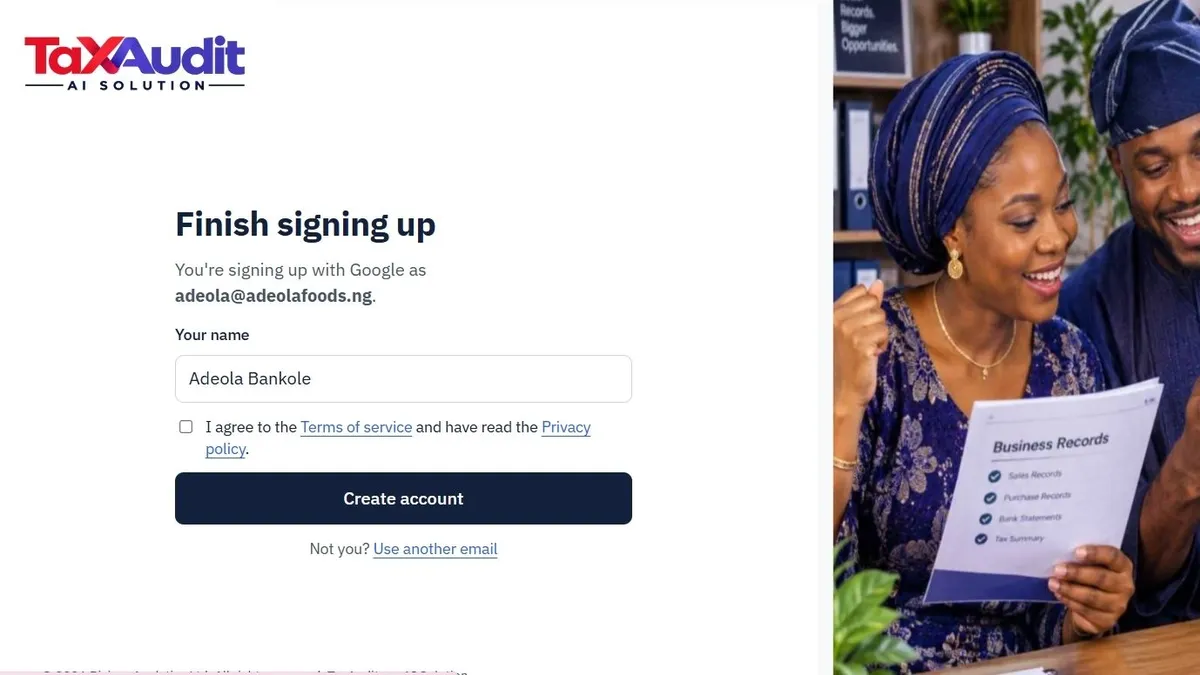
On Finish signing up, check Your name. It comes from Google, and you can change it.
Tick the box to agree to the Terms of service and confirm you've read the Privacy policy, then choose Create account.
Steps: next time
Choose Continue with Google on the Welcome back page and pick the same Google account.
Already have a TaxAudit account with the same email? Choose Continue with Google and you're signed in to that account, because Google has confirmed the address is yours.
Common questions
Does Google sign-in skip two-step verification?
No. If you've turned on two-step verification, TaxAudit still asks for your authenticator code or passkey.
I signed up with Google. Can I also use a password?
Yes. Use Forgot password? on the Welcome back page to set one.
What does "Not you?" on Finish signing up mean?
It shows the Google account you picked. Choose Use another email to sign up with a different address instead.
Can TaxAudit staff use Google?
No. Staff accounts sign in on the staff page with a password and two-step verification.