
Give us feedback
Tell us what works, what doesn't and what you'd like next. We read every message.
Steps
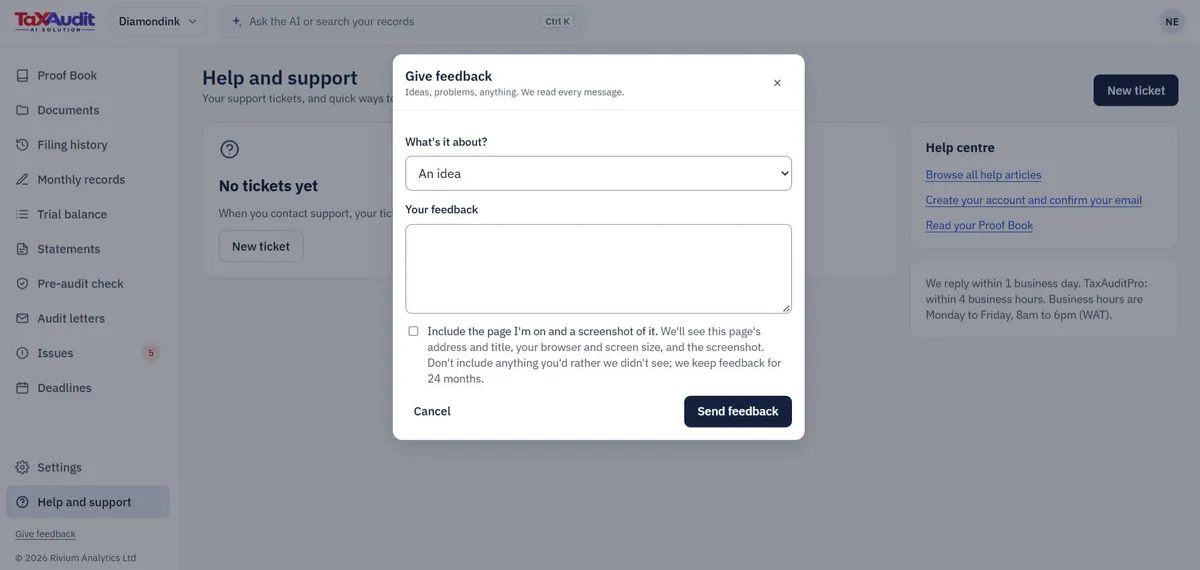
Choose Give feedback at the bottom of the side menu, or in your account menu (your initials, top right).
Choose what it's about and write your feedback.
Want to show us? Tick Include the page I'm on and a screenshot of it. Choose Take a screenshot (your browser asks which tab to share: choose this one) or Attach an image instead.
Choose Send feedback.
Common questions
What do you see if I include the page?
The page's address and title, your browser and screen size, and the screenshot. Without the box ticked, we only see your message, your account and the business you were working on.
How long do you keep it?
24 months, then it's deleted with any screenshot.
Will someone reply?
Feedback isn't answered one by one. If you need an answer, open a ticket from Help and support.