
Add a passkey
A passkey lets you sign in with your fingerprint, face or your device's PIN. It can't be guessed or stolen in a fake website, because it only works on taxaudit.ng.
Before you start
Use a phone or computer that supports passkeys (most recent Android phones, iPhones, Windows and Mac computers).
Steps
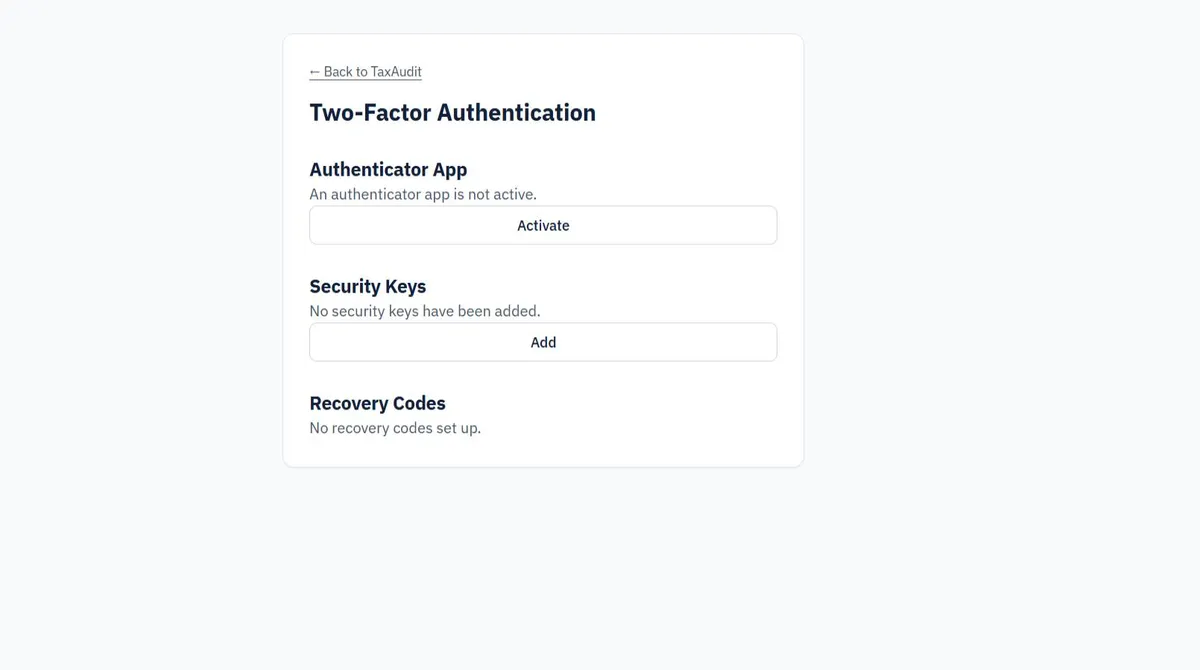
Go to taxaudit.ng/app/2fa/ while signed in, and confirm it's you with the emailed security code.
Under Security Keys, choose Add.
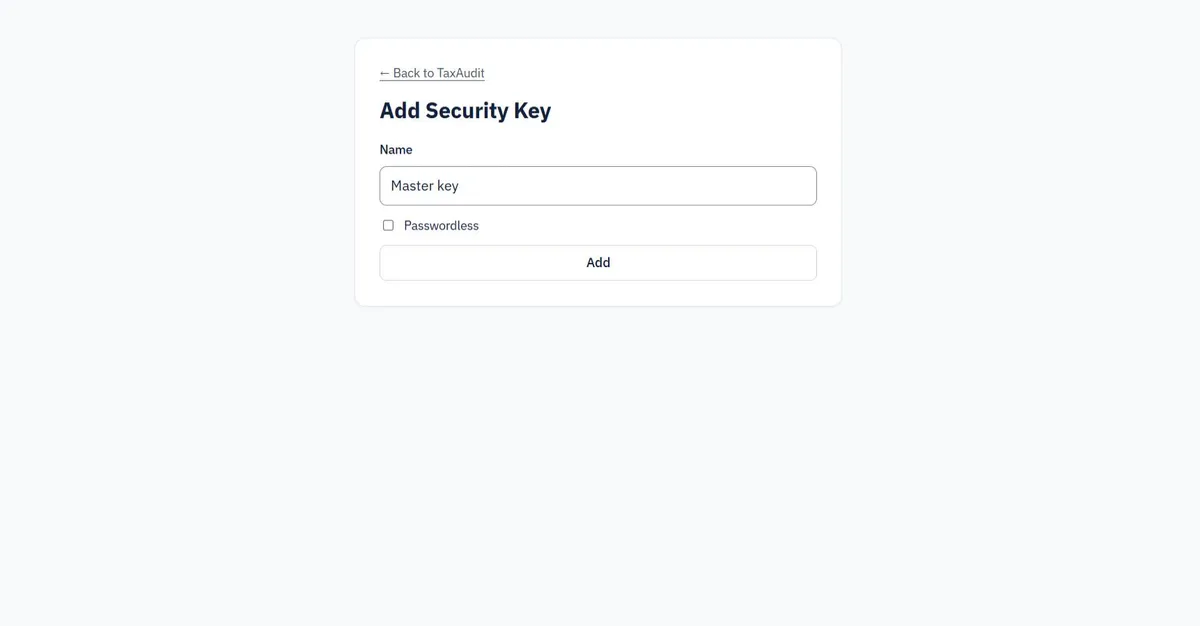
Give it a name you'll recognise (for example "My phone") and choose Add.
Confirm on your device with your fingerprint, face or PIN.
A passkey works on both taxaudit.ng and pro.taxaudit.ng.
Common questions
Do I still need my password?
Keep it: you'll need it if you sign in on a device without your passkey.
I lost the device with my passkey.
Sign in another way (password or emailed code), go to taxaudit.ng/app/2fa/ and remove the lost device's passkey under Security Keys → Manage.